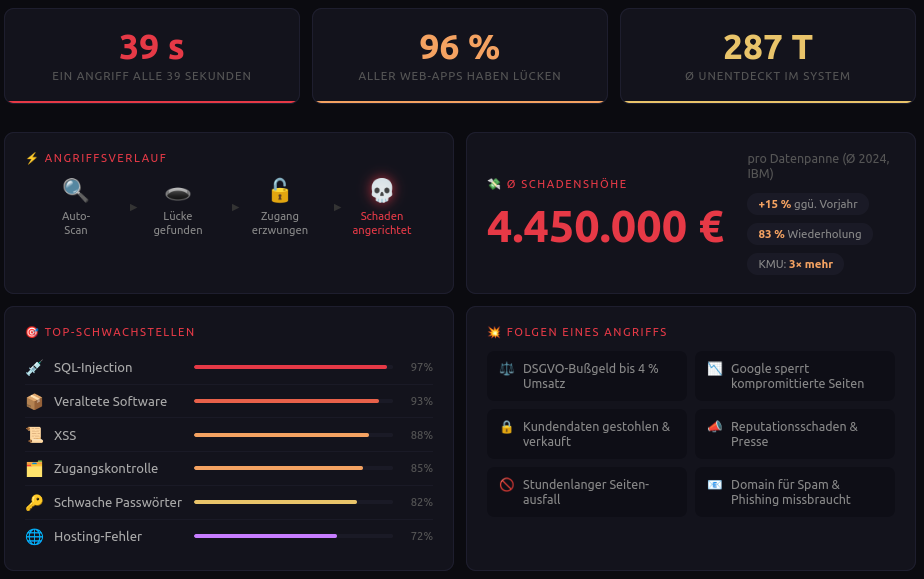


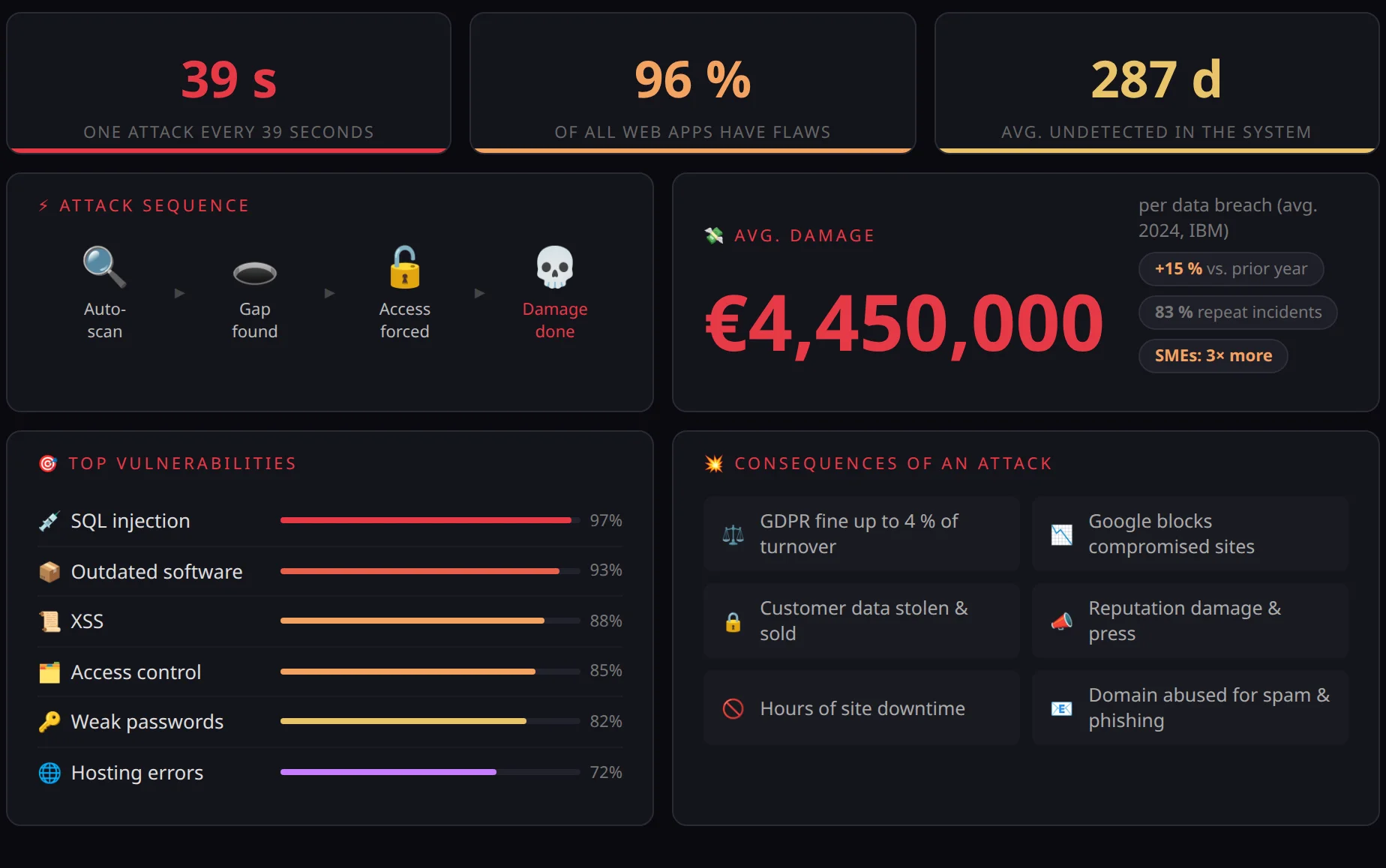
Cybercriminals are becoming more efficient. Attacks on websites are on the rise. And most operators only notice once the damage has already been done. This article shows how attackers operate, where typical weaknesses lie, and how a regular website security check helps you protect your website systematically.
The underestimated threat landscape
Anyone who thinks cyberattacks are only a problem for large corporations and public authorities is mistaken. Small businesses, freelancers and associations all run websites and are therefore potential targets. And attackers know that.
Automated scanning tools search the internet around the clock for vulnerable websites. They detect which CMS is in use, which plugins are installed, which software versions are running – and whether known vulnerabilities exist for them. That takes seconds, not minutes.
According to the BSI and ENISA, the number of registered vulnerabilities in widely used software has risen steadily in recent years. For WordPress plugins alone, hundreds of new security flaws are documented every year. The threat is real, it affects everyone – and it is growing.
What happens when a website is compromised?
The scenarios range from unpleasant to existence-threatening:
- Data loss: Customer data, contact requests and internal documents are stolen.
- Reputational damage: Your own website unknowingly spreads malware to visitors.
- Blacklisting: Google and security services flag the website as dangerous – traffic collapses.
- Extortion: Ransomware encrypts content, and attackers demand a ransom.
- Legal consequences: In the event of a data breach, the GDPR applies – with severe penalties.
GDPR: Security is a legal obligation
Article 32 of the GDPR ("Security of processing") obliges all controllers to implement "appropriate technical and organisational measures" to ensure a level of security appropriate to the risk for personal data.
Anyone who runs a website that processes user data – whether through a contact form, a newsletter or a shop – is obliged to actively protect that data. A website with known, unpatched vulnerabilities can be considered a violation of Article 32, even if no attack has taken place yet.
Then there is the topic of cookies and tracking: Many websites use analytics and advertising tools without fully complying with the legal framework. Which tracking services are actually active is often unclear, because they are loaded in the background by embedded third-party scripts or plugins. Regularly comparing the active trackers with your own privacy policy is therefore not just advisable, but legally required.
CVE vulnerabilities: what they are and how to deal with them
CVE stands for "Common Vulnerabilities and Exposures" – a publicly accessible database that catalogues known security flaws in software. Each vulnerability receives a unique identifier (e.g. CVE-2024-12345) and a risk rating based on the CVSS score (0–10).
Where can you find CVEs?
The most important sources are:
- nvd.nist.gov – the National Vulnerability Database of the American NIST, complete and searchable
- cve.org – the official CVE database
- cvedetails.com – clear search by product, vendor or version
- WPScan Vulnerability Database – specifically for WordPress, plugins and themes
How do you deal with a CVE?
- Identify: Which software, plugins or frameworks are in use, and in which version? This is often the hardest step, because many operators do not have a complete overview.
- Compare: Match the versions in use against known CVEs. Tools such as
wpscan,niktoor commercial scanners can help. - Assess: Not every CVE is equally critical. A CVSS score above 7.0 is considered high, above 9.0 critical. Context matters: Can the vulnerability be exploited from the internet? Does it require authentication?
- Fix: In most cases by updating the affected software. If no update is available, WAF rules (Web Application Firewall) can help as a temporary measure, or the affected component can be disabled.
- Document: For GDPR purposes, it is advisable to keep a traceable record of the measures taken.
By the way: A vulnerability reported more often lately affects the widely used OpenSSH. In a current version, the vulnerability applies. Many scanners report it. However, the vulnerability is only relevant if OpenSSH is configured in a special way (outside the default).
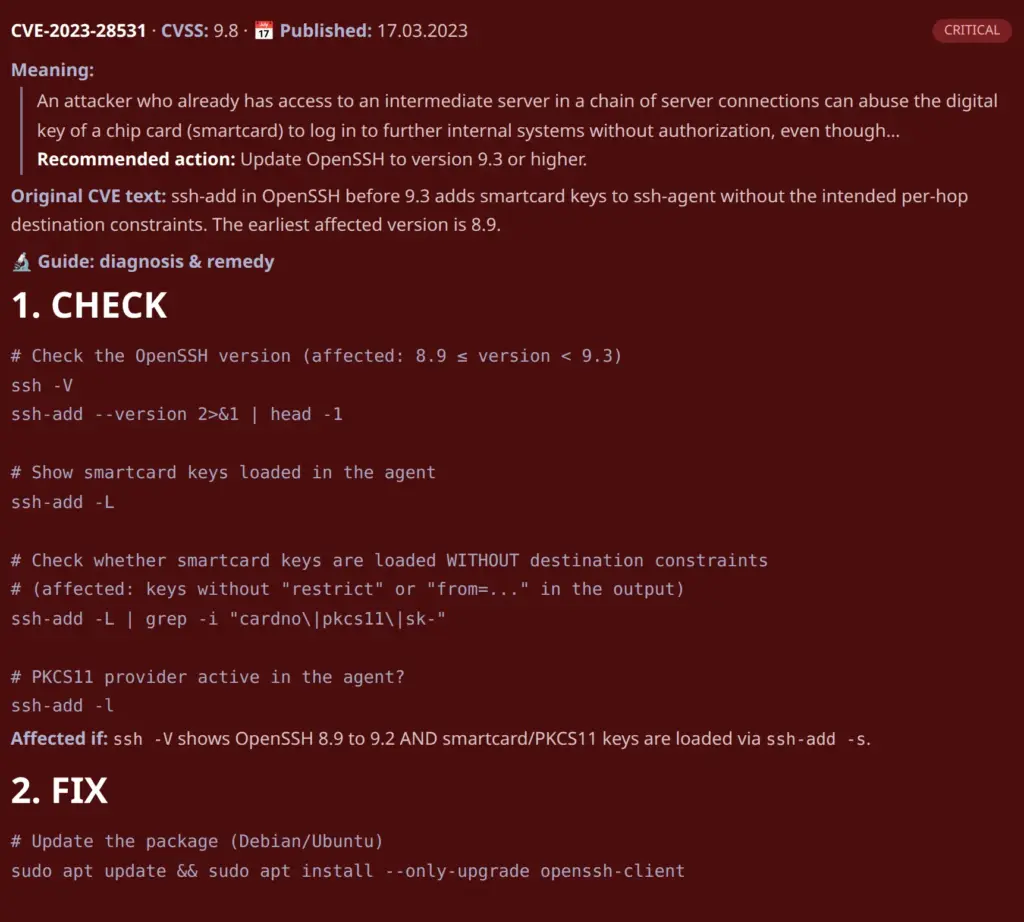
A good security report contains not only a description of the problem, but also diagnosis and remediation instructions. This lets webmasters determine whether they are actually affected or whether it is a false alarm.
Typical website vulnerabilities – and how to detect them
DNS misconfigurations
The DNS configuration of a domain is often poorly secured. Missing or faulty records for SPF, DKIM and DMARC enable email spoofing – sending forged emails that appear to come from your domain.
Check it yourself: Tools such as MXToolbox or mail-tester.com show the status of your email security configuration for free.
 My name is Klaus Meffert. I have a doctorate in computer science and have been working professionally and practically with information technology for over 30 years. I also work as an expert in IT & data protection. I achieve my results by looking at technology and law. This seems absolutely essential to me when it comes to digital data protection. My company, IT Logic GmbH, also offers consulting and development of optimized and secure AI solutions.