

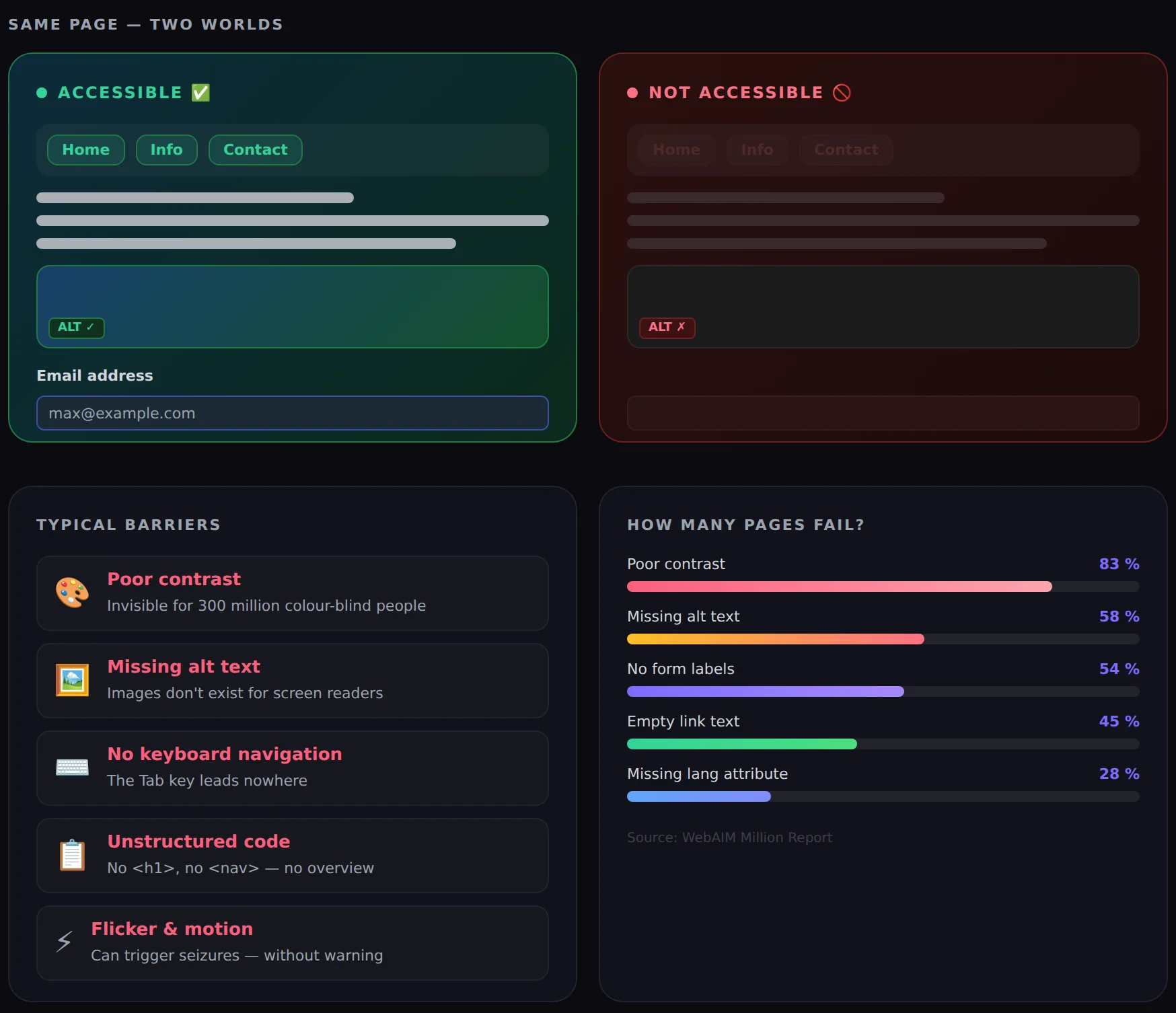
A website has an entrance – but for many people it simply doesn't exist. No lock, no notice, no way around. Just: not there. This is exactly what millions of people experience every day when they land on poorly accessible websites. Web accessibility, often abbreviated as a11y, is no longer a niche topic. It is a technical, social and – increasingly – legal requirement that no web presence can avoid in the long run.
What web accessibility means
An accessible website is designed so that as many people as possible can use it – regardless of physical or cognitive impairments, the device they use or their environment. The international standard for this is the Web Content Accessibility Guidelines (WCAG), published by the W3C. They define four basic principles: content should be perceivable, operable, understandable and robust.
In practice, this means for example:
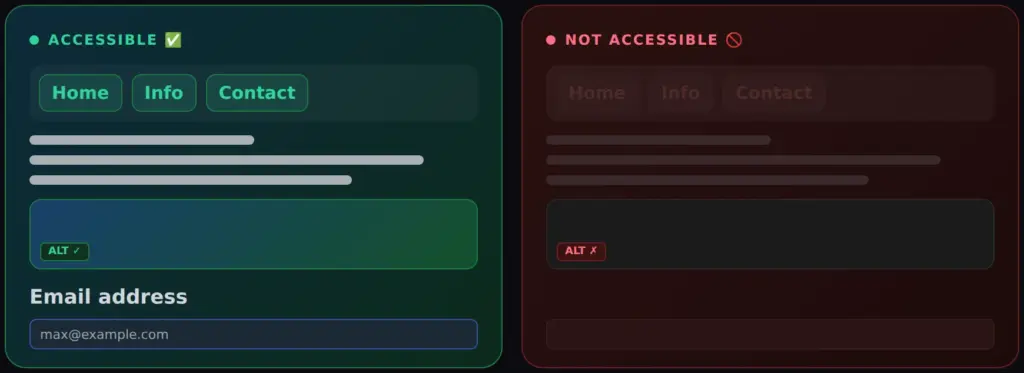
- Images have descriptive alternative texts that screen readers can read aloud.
- The page can be fully operated by keyboard – without a mouse.
- Text and backgrounds have sufficient contrast to be legible.
- Forms are clearly labelled, and error messages are worded in an understandable way.
- Videos have subtitles.
That sounds like technical details – and it is. But behind each of these points is a person who can either use a website or not.
The basic problem: accessibility doesn't happen by itself
In reality, accessibility is rarely considered from the start. Websites are built by designers and developers who usually have no impairments themselves. Testing is done with an up-to-date browser on a powerful device – and how the same page looks and works for others is systematically overlooked.
On top of that, many accessibility problems are invisible. A missing image description never bothers sighted users. A button that can be clicked with the mouse without any problem may simply be unreachable by keyboard – without any visual hint. The problems hide in the code and are therefore carried along unnoticed for years.
According to the WebAIM Million Report, which analyses the one million most visited websites every year, more than 96 % of home pages have at least one measurable accessibility error. The average page has not just one error, but more than 50.
The complexity of accessibility problems is often compounded by the protection of users' privacy. To improve the use of websites for users with limited abilities, it is important to also understand the technical aspects of browser and ad blocking. You can find more on this topic here.
What this means for people with impairments
Worldwide, around 1.3 billion people live with a recognised disability – about 16 % of the world's population. In Germany, around 7.8 million people hold a severe disability card, and many more have impairments that are not officially recognised.
For these people, an inaccessible website has concrete consequences in everyday life:
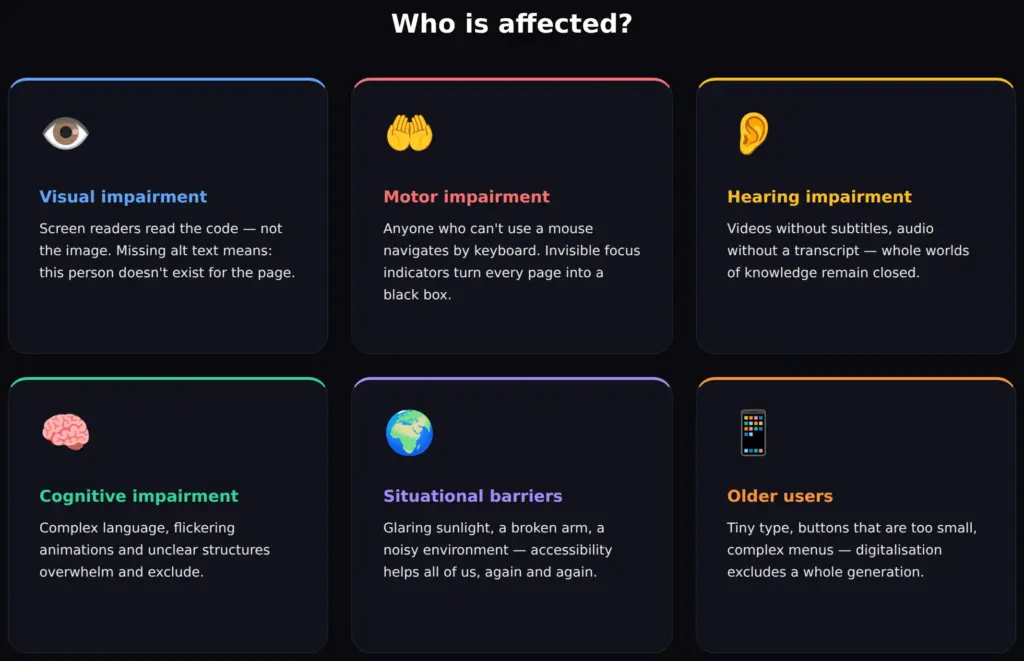
- Visual impairment and blindness: Screen readers – software that reads web content aloud – depend on clean HTML structure, alternative texts and labelled form fields. If these are missing, the page stays silent or unusable.
- Motor impairments: Anyone who can't use a mouse navigates by keyboard or voice control. If visible focus indicators are missing or the tab order makes no sense, every interaction is a guessing game.
- Hearing impairments: Audio content without a transcript, videos without subtitles – entire information offerings remain closed.
- Cognitive impairments: Complex language, unclear navigation, overwhelming animations or inconsistent page structures overwhelm people with learning difficulties, ADHD or other cognitive differences.
What is at stake is the ability to find a doctor, contact an authority, shop or book a trip – everyday things that today largely take place online.
The legal dimension: accessibility becomes mandatory
What was long an ethical recommendation is now anchored in law – and the requirements are getting stricter.
The European Accessibility Act (EAA), implemented in Germany through the Barrierefreiheitsstärkungsgesetz (BFSG), becomes binding for private companies from 28 June 2025. It affects online shops, banking applications, streaming services and many other digital offerings, among others. Companies that fail to meet the requirements risk warning letters, fines and legal disputes.
For public bodies, mandatory requirements based on EU Directive 2016/2102 have applied since 2018 and 2020 respectively, verifiable through accessibility statements on their websites.
Anyone building a new website or revising an existing one can no longer avoid a serious engagement with accessibility. And anyone running an older site should not wait until legal consequences arrive.
A social development nobody should ignore
It would be a mistake to see accessibility only as a topic for people with recognised disabilities. Many impairments come on gradually – and sooner or later affect most people.
The population in Germany is getting older. According to the Federal Statistical Office, the share of people over 67 will rise to about 28 % by 2050. With age, eyesight, fine motor skills and the ability to quickly grasp new interface concepts decline. A website that is easy to use for a 30-year-old with perfect eyesight can be a real hurdle for a 72-year-old with failing eyesight and little internet experience.
On top of that come situational impairments that can affect anyone:
- Sunlight on a smartphone display makes poor contrast unreadable.
- A broken wrist makes the mouse unusable for weeks.
- Noise in the surroundings makes audio content without subtitles useless.
Accessibility improves the user experience for everyone. Clear structures, sufficiently large click targets, understandable language and good contrast are not concessions – they are simply good web design.
Remedies: what actually helps
An accessible website doesn't come from a single fix, but from a series of targeted measures. Many of them can be retrofitted without fundamentally changing the design.
Technical measures:
- Semantic HTML: Using the correct HTML elements (
<h1>–<h6>,<nav>,<main>,<button>) gives screen readers and search engines a meaningful structure. - Alternative texts: Every image that carries content gets a precise description in the
altattribute. - Contrast: The contrast ratio between text and background should be at least 4.5:1 (WCAG AA standard).
- Keyboard navigation: All interactive elements must be reachable with Tab and operable by keyboard. Focus indicators must not be hidden.
- Form labels: Every input field needs a unique, programmatically associated label – not just placeholder text.
- ARIA attributes: Where native HTML isn't enough, ARIA roles and states help convey context to screen readers.
- Subtitles and transcripts: Video and audio content is provided with subtitles and transcripts.

Editorial measures:
- Understandable, clear language without unnecessary jargon.
- Meaningful link texts – “Click here” says nothing; “Go to the registration form” does.
- A logical page structure with meaningful headings.
- Restraint with automatically starting animations or flashing content.
Free tools: helpful, but limited
There are a number of free tools that give a first impression of a website's accessibility:
- WAVE (wave.webaim.org): Visual overlay tool that marks errors directly on the page.
- axe DevTools (browser extension): Technically sound checker in the browser developer tools.
- Lighthouse (built into Chrome): Accessibility score as part of the general performance analysis.
- Colour Contrast Analyser: Desktop tool for precisely checking colour contrasts.
These tools are a sensible starting point. But you should know their limits:
Automatic checkers detect only 30–40 % of all accessibility errors. Whether an image description is correct in substance, whether a navigation is logically structured, whether a form can actually be used with a screen reader – machines cannot reliably judge that.
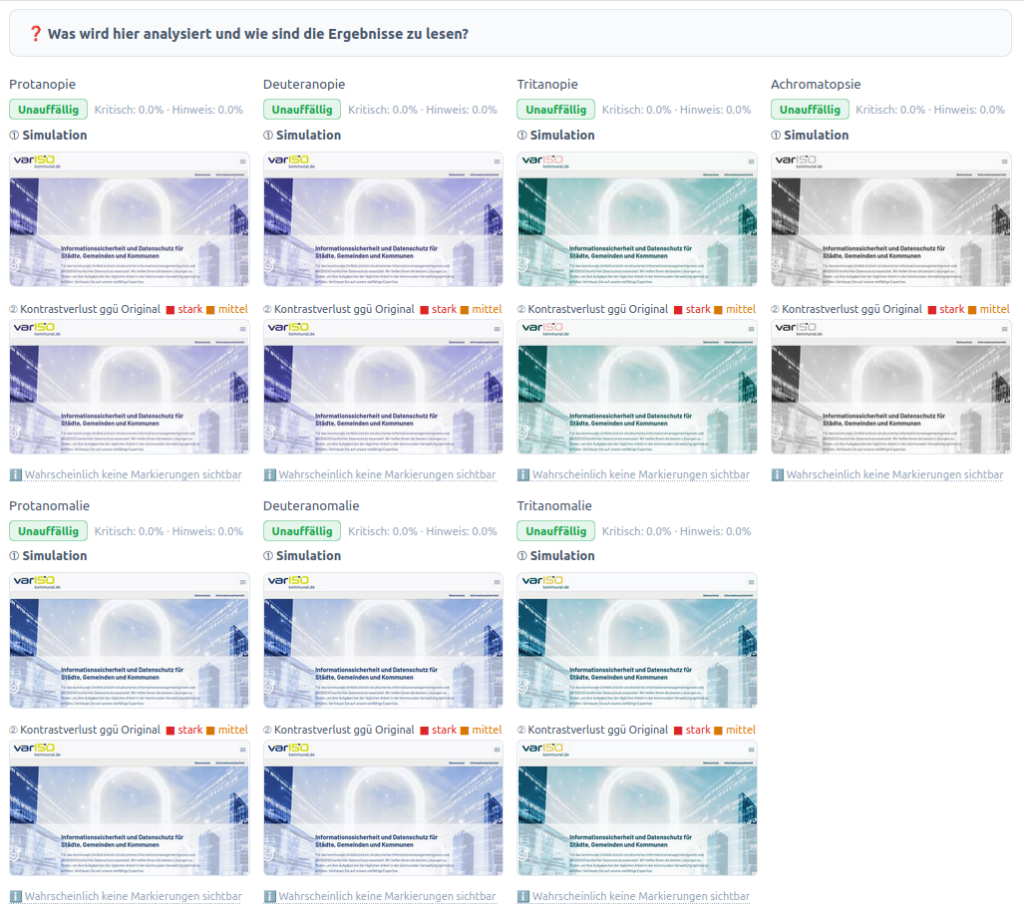
In addition, most tools are in English. Error messages, explanations and recommendations are aimed at experienced developers and assume the matching technical vocabulary – which is an additional hurdle for many of those responsible.
A high Lighthouse score is also no free pass. A value of 95 or 100 merely means that the criteria that can be checked automatically are largely met. The problems that can't be detected automatically – and that is most of them – remain invisible.
Professional accessibility check: sound analysis, real solutions
Given these limitations, a professional accessibility check is the most sensible and often the most economical way to get clarity.
A professional check goes far beyond automatic scanners. It combines tool-based analysis with manual testing – and delivers not a cryptic error report but an understandable, prioritised report that makes clear:
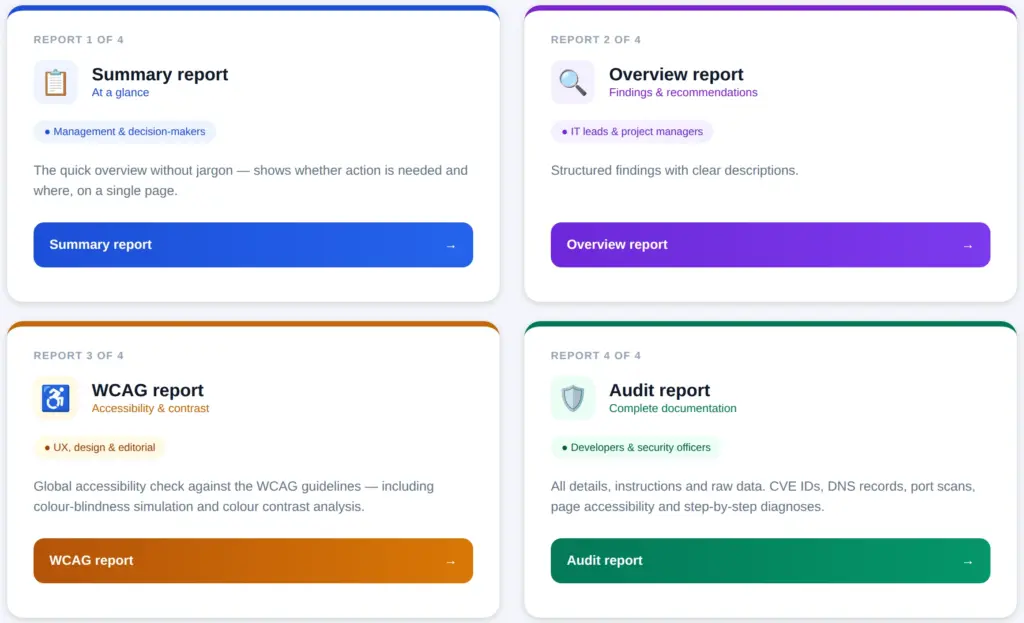
- Which problems actually exist – completely, not just the ones that can be detected automatically.
- How serious they are – what should be tackled first.
- How to fix them in concrete terms – with instructions and code examples that developers can implement directly.
This saves considerable time and effort compared with trying to find your own way through English-language documentation and contradictory tool output – and gives everyone involved, from management to the development team, a reliable basis.
Accessibility and security belong together
Professional accessibility audits today often include comprehensive security checks – and in the current situation that is more important than ever.
The threat level on the web is rising rapidly: AI-powered attack tools considerably lower the barrier to cyberattacks and make even small and medium-sized web presences worthwhile targets. Outdated plugins, insecure form implementations, missing HTTP security headers or vulnerable dependencies can lead to data loss, reputational damage and serious legal consequences – especially in the context of the GDPR.
Accessibility check: audit based on web standards
A combined accessibility and security audit is therefore not only efficient but strategically smart: both areas are handled in one structured process, overlaps are used, and in the end there is a complete picture of the actual state of a web presence.
Conclusion
Web accessibility is not an optional seal of quality. It is a question of attitude towards all users, a growing legal obligation and an economically relevant topic – because anyone who is excluded doesn't buy, doesn't book and doesn't recommend.
Automatic tools give orientation but do not replace a thorough audit. Anyone who really wants to know where a web presence stands – and how it can be improved sustainably – can't get around a professional analysis. Ideally together with a security check, which in times of growing digital threats is long since standard (or overdue).
 My name is Klaus Meffert. I have a doctorate in computer science and have been working professionally and practically with information technology for over 30 years. I also work as an expert in IT & data protection. I achieve my results by looking at technology and law. This seems absolutely essential to me when it comes to digital data protection. My company, IT Logic GmbH, also offers consulting and development of optimized and secure AI solutions.