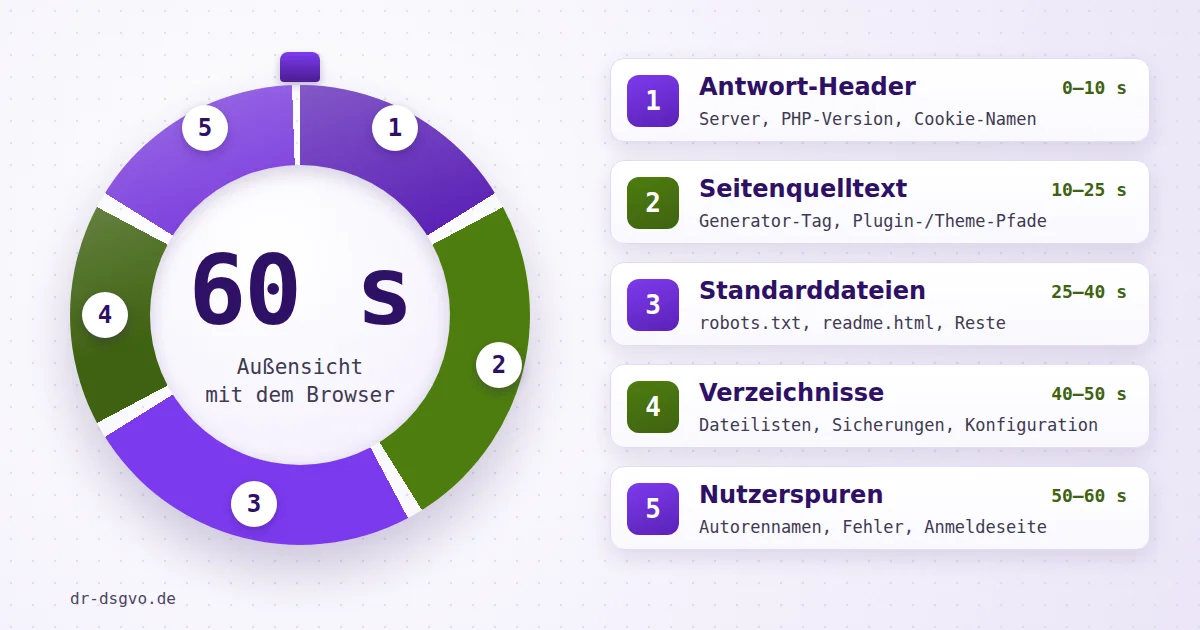


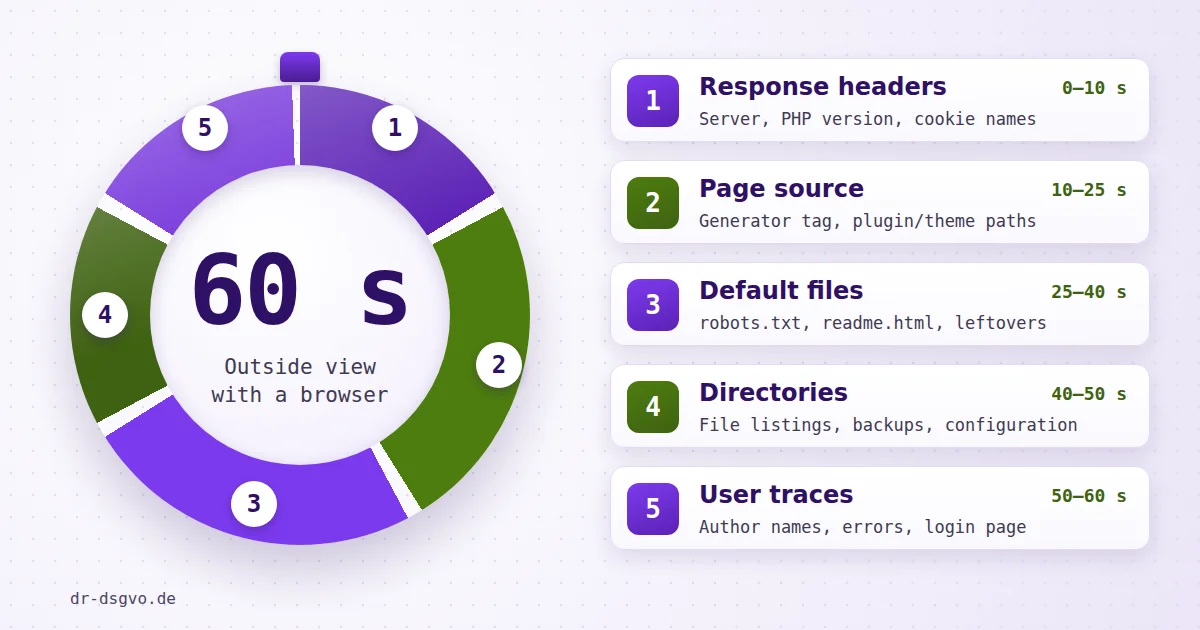
One browser, one minute, no special tools: that alone reveals a lot about a company website. This article shows which traces servers, page source and directories leave behind, how to weigh them and what operators can do about them.
Introduction
Operators know their website from the inside: copy, design, forms, image galleries. A website from an attacker's perspective looks different. What counts there are server responses, files in fixed locations and the names of installed extensions. These things are rarely part of an acceptance test; they come about along the way and often go unnoticed for years.
Below, we switch perspective and go through five layers, rank the findings by weight and finish with a self-check for your own domain. The scope is narrow: it is only about publicly accessible information, not attack techniques. No attacks are explained here, and this does not replace a security test.
The website from an attacker's perspective: why the outside view matters
Every security assessment starts with information gathering. The OWASP Web Security Testing Guide has a dedicated section for it, which among other things describes identifying the web server software in use (fingerprinting). The principle is simple: the more is known about software and structure, the more precisely a system can be assessed. So the website from an attacker's perspective is first of all a collection of clues that the operators deliver themselves.
Experts call this information disclosure. It means details that are not needed to run a site but still leak to the outside. These include version numbers, paths, file listings and error messages. The sum of all points through which a system can be reached from outside is called the attack surface. The smaller it is and the less it reveals, the fewer starting points remain.
An ordinary browser is enough for a first look. No login, no bypassing of protective measures, no trying out other people's accounts. Everything mentioned below is delivered by the site to every visitor on its own. The diagram shows the five layers this article goes through one by one.
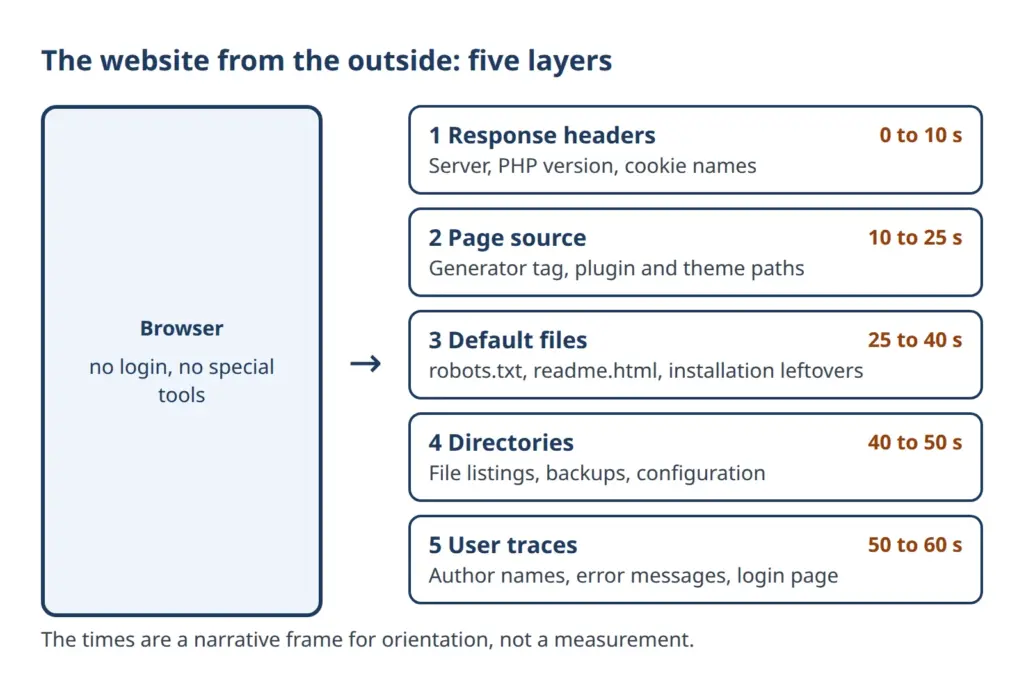
For context: the time stamps in the headings are a narrative frame. They are not a measurement; they show how little effort a first overview takes. Anyone doing the steps for the first time will usually need longer.
Seconds 0 to 10: what the server reveals in the response headers
When a browser requests a page, the server first responds with a header. This is a block of lines transmitted before the actual page content, containing technical details. The developer tools of every common browser show it in the network tab.
Two lines are particularly revealing. The Server line names the web server software, often including the version number and operating system. The X-Powered-By line frequently gives away the PHP version. Such details are also called banners. Other telltale signs are typical cookie names, a Link header with the address of the REST API, or an X-Pingback entry pointing to WordPress.
Version numbers are interesting for a simple reason: they can be matched against lists of known vulnerabilities. Today this is largely automated. An entry like "Apache with a specific minor version" is compared with public databases in a fraction of a second.
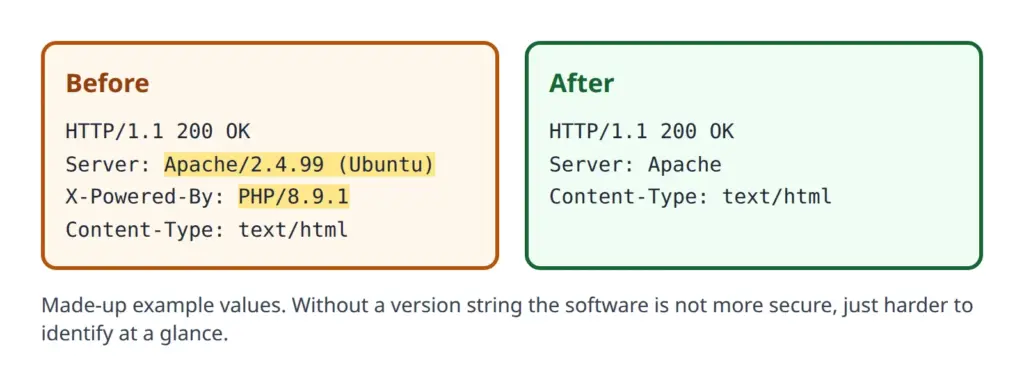
The countermeasures are small and belong in the server configuration. On the Apache web server, the ServerTokens directive controls how verbose the header is. The default value is Full; the value Prod limits the output to the product name. ServerSignature Off removes the footer line on server-generated pages such as error pages. On nginx, the server_tokens directive does the job: with the value off it suppresses the version on error pages and in the header. The PHP setting expose_php controls the X-Powered-By header and can only be changed in php.ini.
An honest assessment matters here: none of this protects you. It only removes the convenient pre-selection. On shared hosting, the configuration is usually up to the hosting provider, and a request to support is enough. On your own servers, an administrator makes the change in a few minutes.
Seconds 10 to 25: the page source as an open book
The source of a page is the HTML code the browser receives. It can be opened in the browser via the "view page source" option. It contains more information than you notice when looking at the page.
Typical traces are:
- A generator meta tag naming the content management system and sometimes its version.
- Version parameters on stylesheets and scripts, such as
?ver=after a file name. They often come from the extension itself and state its version. - Paths like
wp-content/plugins/andwp-content/themes/, which reveal the names of extensions and themes. - Comments in the HTML left behind by developers, for example references to test environments.
- Embedded third-party services such as maps, fonts, videos or analytics.
From these details a complete plugin list emerges without a single login. If you run WordPress, you can check which plugin version is visible in the source and compare it with the current version. A plugin list in itself is not a flaw. It only becomes a finding when one of the extensions is outdated or no longer maintained at all.
Several countermeasures come into question: remove unnecessary plugins, update extensions promptly, strip developer comments from the delivered code and switch off the generator tag. The latter is hygiene, not protection; the plugin name can still be read from the paths mentioned anyway.
A side note: embedded third-party services are also a data protection issue, because data can flow to external providers when they load. The website check offers an automated outside view of this.
Seconds 25 to 40: default files and hints at hidden things
Many sites contain files in fixed, well-known locations. They are meant for search engines, installations or diagnostics and are easily forgotten.
The robots.txt asks search engines not to crawl certain areas. In doing so, it often lists exactly the paths that are not supposed to attract attention, and turns into a signpost. It is not access control: anyone who reads the file can still open the listed addresses, and reputable programs only follow the request voluntarily. The sitemap.xml, by contrast, lists all pages that are meant to be found and is usually unproblematic.
More critical are files that disclose software and version, such as the default readme and license file of a content management system. Then there are installation leftovers, test pages and diagnostic output. Particularly well known are outputs showing the entire PHP configuration and status pages of the web server. They show paths, modules and settings and have no place on a live system.
The countermeasure is: remove, don't hide. Whatever is not needed should be deleted from the server. Whatever has to stay, such as a status page for monitoring, is restricted to specific addresses or logins in the server configuration. On WordPress, it is also worth looking at the XML-RPC interface. It should not be blocked blindly, as services like Jetpack may use it. Check first whether it is needed, then decide.
Seconds 40 to 50: open directories, backup copies and leftovers
This layer weighs the most. It is no longer about clues but about content that can be retrieved immediately.
A directory listing occurs when the web server outputs a file list for a directory without an index page. Visitors then see the names, sizes and modification dates of all files in that folder. The OWASP Top 10 cite directory listing that has not been disabled as a typical example of security misconfiguration (category A05 of the 2021 edition). On the Apache web server, the -Indexes option prevents the listing; on nginx, the autoindex feature is off by default and should stay that way.
Forgotten files are even more delicate. They include:
- Backups as archives, database exports or with extensions like
.bakand.old, created during rebuilds. - Version control folders that the developer accidentally copied to the server.
- Configuration files in the public area, which may contain credentials for databases or services.
- Upload folders containing caches, exports or logs.
The webroot, the directory that the web server delivers to the outside, should only contain what may be visible there. The German Federal Office for Information Security (BSI) states this in its IT-Grundschutz module APP.3.2 Web Server (2023 edition) as a basic requirement: IT operations must disable unneeded functions that list directories. They must also ensure that confidential files are not stored in public directories, and check this regularly.
Why this weighs more than a version number: a backup file can contain credentials and personal data. Then it is no longer just a matter of configuration but a possible data breach. Whether there is a notification obligation is governed by Art. 33 GDPR and belongs in the hands of the data protection officer.
Countermeasures: remove files from the webroot, disable directory listings and store backups outside the webroot. If you have found a file that contained credentials, change those credentials as well. Simply deleting the file is not enough in that case, because it cannot be ruled out that it has already been downloaded.
Seconds 50 to 60: user names, error messages and login pages
The last layer concerns people and errors. On blogs, author names appear below posts and in the archive. The WordPress REST API is a programming interface through which data can be retrieved in machine-readable form. According to the documentation on users, the public context returns, among other things, the ID, display name, author link and the slug field. Account details such as user name, email address and roles belong to the edit context and require permissions. Whether the slug allows conclusions about the account depends on the installation and can only be checked there. Nobody should rely on it being identical to the login name.
Login pages can also give hints. If the error messages differ depending on whether a user name exists or the password is wrong, existing accounts can be identified. Detailed error messages with stack traces and file paths also belong here. The OWASP Top 10 explicitly name overly detailed error messages as a possible source of sensitive information and component versions.
Suitable countermeasures are quick to implement: use display names that differ from the login, show generic error messages on the login page and switch off error output on the live system. Errors then belong in a log, not in the response to visitors. Two-factor authentication for all accounts with editorial rights is also worthwhile.
From a data protection point of view, one aspect matters: author and user names can be personal data. Anyone publishing them should do so deliberately and with the knowledge of the people concerned.
What an attacker does with these findings and why hiding is not enough
An attacker's view is matter-of-fact. The collected findings are matched against lists of known vulnerabilities, automatically and in large numbers. Anyone running an outdated version ends up on a list, regardless of how large or small the company is. A website from an attacker's perspective is therefore not a personal target but an entry in a spreadsheet. That is no reason for panic, nor for indifference. It explains why standard mistakes are exploited so often.
Hiding the version number only dims the light on the door. It is locked only once the update is installed.
Hiding is hygiene. The technical term is security by obscurity. Removing version details makes assessment from the outside more tedious and reduces the bycatch of automated scans. Real protection comes from other things, though. The OWASP Top 10 name, among other remedies for misconfiguration, removing unneeded features and working patch management.
Is hiding software version numbers enough to make a website secure?
The difference can be summed up like this: a hidden version makes pre-selection harder, an installed update removes the cause. If you only do one of the two, choose the update.
Weighting: which findings are harmless and which are urgent
Not every finding is equally important. The following table classifies typical findings. The classification is the author's assessment, not a normative scale. In individual cases, the weight depends on which data is affected and which software is behind it.
| Finding | Where visible | Classification | Responsibility |
|---|---|---|---|
| Server version in header | Response headers | Clue | Hosting provider |
| Plugin version in source | Page source | Clue, becomes urgent if the plugin is outdated | Agency |
| Active directory listing | Directories | Fix | Hosting provider |
| Backup or configuration file retrievable | Directories, default paths | Act immediately | Agency and hosting provider |
| Stack trace in error message | Error pages | Fix | Agency |
| User list via the REST API | Programming interface | Fix | Agency |
In practice, responsibility is often unclear. The hosting provider is responsible for the server and configuration, the agency for the content management system and extensions, your own administration for accounts and content. One simple question to the service provider clears up a lot: who updates plugins, how often, and who gets notified if it fails?
The 15-minute self-check for your own domain
The following self-check is read-only. It applies exclusively to your own domain or to sites whose operator has authorized it in writing. No accounts are tried and nothing is changed.
- Open the home page in the browser and view the page source. Look for generator details, version parameters, comments and extension paths.
- View the response headers in the browser's developer tools and note the
ServerandX-Powered-Bylines. - Read the
robots.txtand thesitemap.xmland check whether they mention areas that should not be public. - Check whether a directory without an index page, for example the upload folder, shows a file list.
- Note the plugin and theme names found in the source and compare them with the current version of each.
- Check whether test and installation leftovers, diagnostic pages or old backups are present. Examples are version control folders or files containing credentials.
- Look at the user list of the programming interface and check which details are public there.
- Document all results with a date and assign them to the people responsible.
The website check by Dr. DSGVO provides the outside view automatically, looking at the publicly visible site from a data protection perspective. For the technical review of headers and configuration, the security checks are suitable. Neither replaces a penetration test, but both show the surface in a short time.
Responsibility, documentation and reporting channel: Art. 32 GDPR and security.txt
Technical security also has a legal side. Art. 32 GDPR requires appropriate technical and organizational measures based on the state of the art and the risk. This includes a process for regularly testing, assessing and evaluating the effectiveness of these measures. The official text is published in the Official Journal of the EU. A recurring outside check is a simple building block for this, provided it is documented.
Documentation is above all about responsibility: who is responsible for server, content management system, extensions and accounts, internally, at the agency or at the hosting provider? If you don't write it down, you will find out when something goes wrong.
Another simple building block is the security.txt file. It describes how third parties can report security vulnerabilities. The RFC 9116 standard provides for placing it at /.well-known/security.txt and requires the Contact and Expires fields. The expiry date follows the RFC 3339 format and, as recommended, should be less than a year in the future. This way, a tip from researchers or attentive visitors reaches the right recipient instead of ending up somewhere in an inbox.
Conclusion: three things for this week
A website from an attacker's perspective is less mysterious than the term suggests. It consists of responses, files and names that any visitor can see. Three steps are worthwhile without much effort:
- Run the outside check once and record the results.
- Remove leftovers, disable directory listing and move backups out of the webroot.
- Set a rule for updates and responsibilities and provide a
security.txt.
Hiding version numbers is just a bonus. What makes the difference is up-to-date software and a clean configuration.
 My name is Klaus Meffert. I have a doctorate in computer science and have been working professionally and practically with information technology for over 30 years. I also work as an expert in IT & data protection. I achieve my results by looking at technology and law. This seems absolutely essential to me when it comes to digital data protection. My company, IT Logic GmbH, also offers consulting and development of optimized and secure AI solutions.